


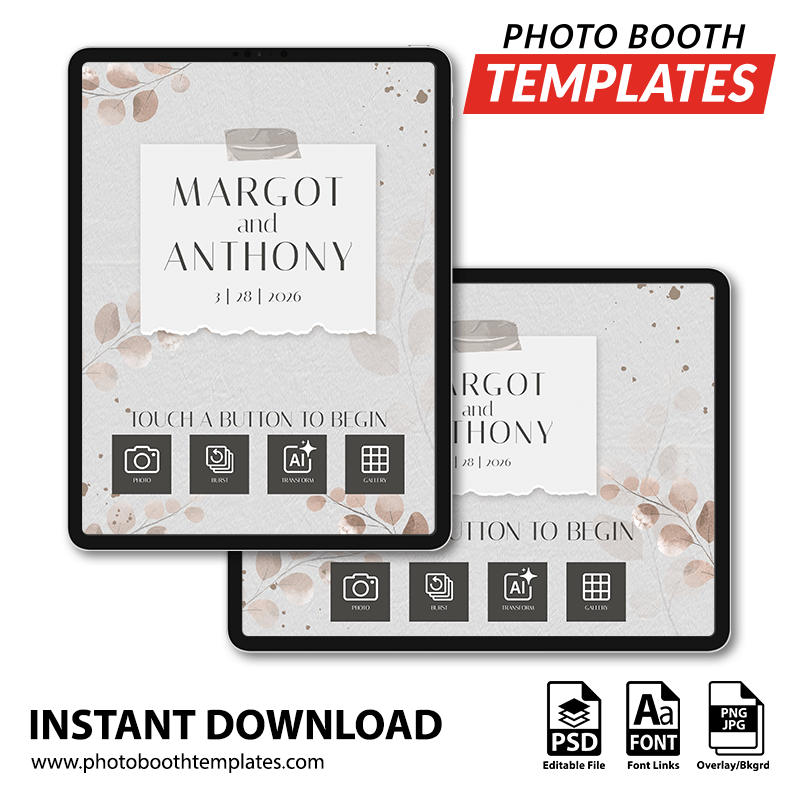
Transform your iPad photo booth app’s welcome screen into a clean, elegant display that highlights your event details with a refined paper-style centerpiece and subtle decorative accents. Structured framing and clear typography guide guests effortlessly through the experience while maintaining a timeless wedding look. The design delivers a polished and inviting first impression, making it ideal for weddings, receptions, bridal showers, and formal celebrations. All colors can be adjusted to match your event style.
With these welcome screen templates, you can modify the colors within the PSD through provided hue/saturation layer. For more information on how this is done please watch the Modifying Template Colors video from our YouTube channel. These screen photo booth templates can be modified using Photoshop CC and Photoshop Elements 2020 and up.


The package contains the following contents:
- Landscape PSD
- Portrait PSD
- Ready to use start screen JPEG files. Landscape and portrait included.
- Ready to use general screen JPEG files. Landscape and portrait included.
Photo Booth Software
These screens should be supported by most photo booth applications on the market. Listed below are some that are known to work with the files.
- Breeze Booth (DSLR/webcam/iPad)
- Darkroom Booth for iPad
- Fotozap
- Snappic
- Luma Booth
- Mobibooth Cloud
- PixBooth (Curator)
- Salsa Booth App
* NOTE: Screens can be used with other photo booth applications as well.
Designer:
Mike Bender. See more designs by Mike Bender.
