


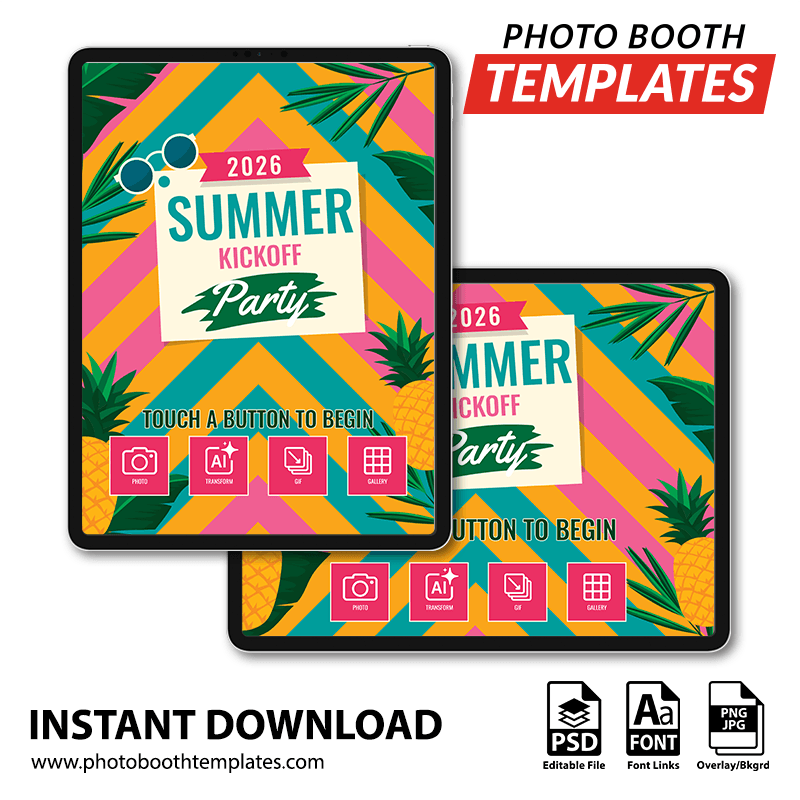
Transform your iPad photo booth app’s welcome screen into a fun, tropical-inspired experience featuring playful summer graphics, bold seasonal accents, and bright decorative elements that highlight event details with energetic style. Structured framing and easy-to-read typography keep the experience simple for guests while maintaining a lively party atmosphere. Perfect for summer events, pool parties, tropical themes, school celebrations, and warm-weather gatherings, this design creates a cheerful first impression for every photo session. All colors can be adjusted to match your event style.
With these welcome screen templates, you can modify the colors within the PSD through provided hue/saturation layer. For more information on how this is done please watch the Modifying Template Colors video from our YouTube channel. These screen photo booth templates can be modified using Photoshop CC and Photoshop Elements 2020 and up.


The package contains the following contents:
- Landscape PSD
- Portrait PSD
- Ready to use start screen JPEG files. Landscape and portrait included.
- Ready to use general screen JPEG files. Landscape and portrait included.
Photo Booth Software
These screens should be supported by most photo booth applications on the market. Listed below are some that are known to work with the files.
- Breeze Booth (DSLR/webcam/iPad)
- Darkroom Booth for iPad
- Fotozap
- Snappic
- Luma Booth
- Mobibooth Cloud
- PixBooth (Curator)
- Salsa Booth App
* NOTE: Screens can be used with other photo booth applications as well.
Designer:
Mike Bender. See more designs by Mike Bender.
