


Shop Photo Booth Templates
This is where you can browse products in this store.
Showing 7696–7696 of 7696 results
Looking for DSLR or iPad photo booth templates? Start with the filters above or browse by category to find designs that match your setup.
Template Type
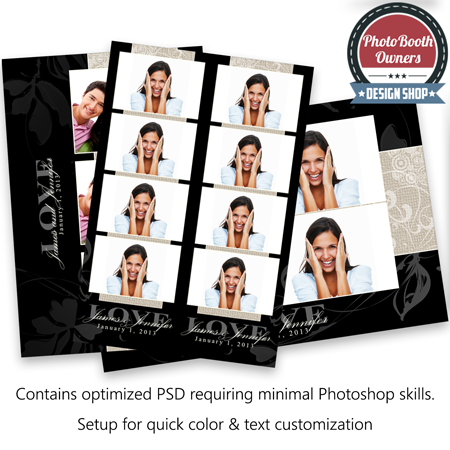
Select options
This product has multiple variants. The options may be chosen on the product page
$29.00
Showing 7696–7696 of 7696 results
You could be saving more...
Join our Discount Club and save up to 72% on your photo booth templates purchases.
Frequently Asked Questions
Are your photo booth templates available to everyone?
Yes! All photo booth templates listed on our website, including this set, are available for purchase by anyone at any time. You don’t need a membership to buy them.
What discount do Discount Club members get on these templates?
Discount Club members receive up to 72% off templates. If you run a photo booth business and regularly need new designs, the membership pays for itself quickly by reducing your costs on every purchase.
What is Templates Manager?
Templates Manager is a desktop app from PhotoBoothTemplates.com that helps photo booth operators organize their template library, manage client edits, and streamline their workflow. It keeps your purchased templates, client selections, and edits in one place so you can spend less time managing files and more time delivering designs.
Learn more about Templates Manager:
https://www.photoboothtemplates.com/templates-manager/
What is the template widget, and how does it work?
The template widget is an exclusive feature for Discount Club members that allows them to display our photo booth template designs, unbranded, on their own website. This makes it easy to showcase available designs to clients without revealing where they come from, adding a professional touch to your offerings. The template widget also allows clients to select the template and specify the personalizations that they would.
Which photo booth software are these templates compatible with?
Our templates are designed to work with popular photo booth software like dslrBooth, LumaBooth, Snappic, Breeze Booth, Darkroom Booth, and others. Our graphics and layouts work with pretty much every photo booth app on the market. If you are unsure please contact us for an answer.
Do I need Photoshop to edit these templates?
Yes, you will need Adobe Photoshop or Photoshop Elements to customize the templates. This allows you to modify text, colors, and graphics to match your client’s theme. If you do not need to change colors you can use any graphics editor, including your photo booth software's built-in editor to add text. Links to all fonts used are provided in the readme.html file.
Are your photo booth templates compatible with Canva?
Yes. Our PSD files can be imported into and edited using Canva Pro. Once imported elements are individually layered. While not all features are available within Canva Pro, many customers find them more than adequate for their needs.
