

Botanical Cherry Blossom Photo Booth Templates Theme

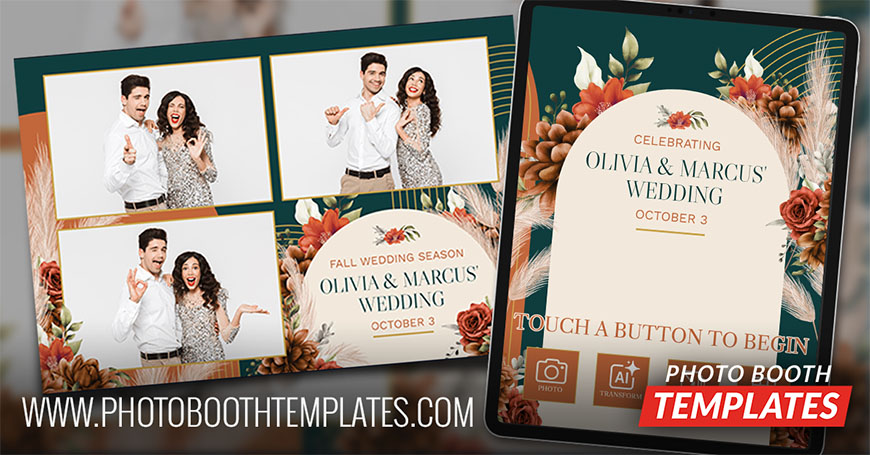
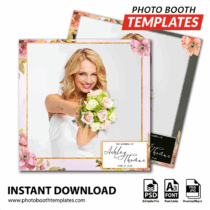
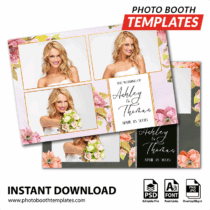
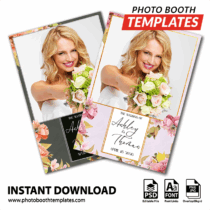
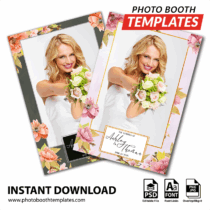
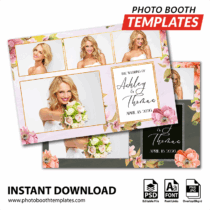
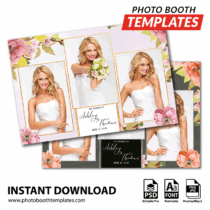
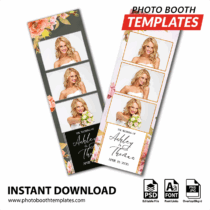
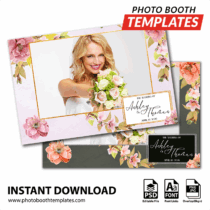
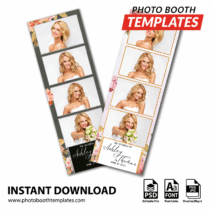
The Botanical Cherry Blossom photo booth template combines elegant cherry blossom florals with soft botanical artwork to create a romantic and timeless event design. Delicate floral accents, refined borders, and clean photo areas keep the attention on guests while adding a graceful decorative touch. The polished event section gives plenty of space for names, dates, and special messages, making each print feel personal and complete.
Botanical Cherry Blossom
Cherry blossoms have been a favorite choice for wedding décor because they symbolize new beginnings and beautiful memories. This theme brings that feeling into a photo booth layout without making the design feel crowded. The floral artwork frames each photo naturally. The clean layout helps every smile stand out, while the elegant borders create a polished keepsake that guests will want to save.
This set includes 9 photo booth templates, an iPad welcome screen set, a PC/Mirror Booth welcome screen set, and a matching buttons set—perfect for adding a holiday vibe to any event. With more than 7,000 editable photo booth templates in our shop, you’ll always have something fresh to offer.
New releases are 33% off for the first 24 hours for non-members—don’t miss out! Discount Club members save even more and get instant access to all templates. Join today.
-
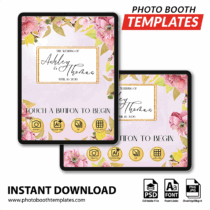
Botanical Cherry Blossom iPad Welcome Screens
$25.00 -
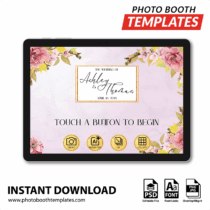
Botanical Cherry Blossom PC Welcome Screens
$25.00 -
Botanical Cherry Blossom Buttons
$10.00 -

Botanical Cherry Blossom Square
$29.00 -
Botanical Cherry Blossom 3-pose Postcard
$29.00 -
Botanical Cherry Blossom iPad Portrait
$29.00 -
Botanical Cherry Blossom Portrait
$29.00 -
Botanical Cherry Blossom 4-pose Postcard
$29.00 -
Botanical Cherry Blossom 3-pose Postcard
$29.00 -
Botanical Cherry Blossom 3-up Strips
$29.00 -
Botanical Cherry Blossom Postcard
$29.00 -
Botanical Cherry Blossom 4-up Strips
$29.00
Join the Discount Club & Save on Photo Booth Templates
Discount Club members have access to these designs through the embedded catalog widget, making it easy for clients to browse and select templates directly from their website. Not a member? Join today and instantly expand your offerings with our entire catalog of photo booth templates while getting huge discounts on every purchase.
What’s Included in Our Photo Booth Templates?
Each template package contains:
- Background.jpg
- Overlay.png
- Editable PSD files (template.psd & template-elements.psd)
- Links to all fonts
- Photo coordinates & dimensions (PSD + coordinates.txt)
Photo Booth Software Compatibility
Our photo booth templates are designed to work smoothly with the most popular photo booth software platforms, including both DSLR and iPad-based systems:
These templates are fully editable in Photoshop, giving you complete control over layout and branding. In some cases, minor adjustments may be needed to match a specific software’s print or screen requirements.
Photo Booth Printers Compatibility
Our photo booth templates are optimized for:
- DNP RX1/RX1HS, DNP DS40, DNP DS620, DNP QW410
- Hiti 510L/S, 720L
- Shinko S6145 (Sinfonia CS2)
- Ciaat-Brava 21
Other printers may work but might require adjustments to achieve the best results.
This year events demand prints that look clean and work fast. This release focuses on that need. It gives operators a dependable option for busy nights where quality still matters. That is what strong photo booth templates are built to do.
If you’re not yet a Discount Club member, join now to save big on every photo booth templates!
Are your photo booth templates available to everyone?
Yes! All photo booth templates listed on our website, including this set, are available for purchase by anyone at any time. You don’t need a membership to buy them.
What discount do Discount Club members get on these templates?
Discount Club members receive up to 72% off templates. If you run a photo booth business and regularly need new designs, the membership pays for itself quickly by reducing your costs on every purchase.
What is Templates Manager?
Templates Manager is a desktop app from PhotoBoothTemplates.com that helps photo booth operators organize their template library, manage client edits, and streamline their workflow. It keeps your purchased templates, client selections, and edits in one place so you can spend less time managing files and more time delivering designs.
Learn more about Templates Manager:
https://www.photoboothtemplates.com/templates-manager/
What is the template widget, and how does it work?
The template widget is an exclusive feature for Discount Club members that allows them to display our photo booth template designs, unbranded, on their own website. This makes it easy to showcase available designs to clients without revealing where they come from, adding a professional touch to your offerings. The template widget also allows clients to select the template and specify the personalizations that they would.
Which photo booth software are these templates compatible with?
Our templates are designed to work with popular photo booth software like dslrBooth, LumaBooth, Snappic, Breeze Booth, Darkroom Booth, and others. Our graphics and layouts work with pretty much every photo booth app on the market. If you are unsure please contact us for an answer.
Do I need Photoshop to edit these templates?
Yes, you will need Adobe Photoshop or Photoshop Elements to customize the templates. This allows you to modify text, colors, and graphics to match your client’s theme. If you do not need to change colors you can use any graphics editor, including your photo booth software's built-in editor to add text. Links to all fonts used are provided in the readme.html file.
Are your photo booth templates compatible with Canva?
Yes. Our PSD files can be imported into and edited using Canva Pro. Once imported elements are individually layered. While not all features are available within Canva Pro, many customers find them more than adequate for their needs.