

Costly Photo Booth Template Editing Mistakes Fixed Live | Session 13

Have you ever watched a photo booth line grow while your stomach sinks because something on the template is wrong? The color doesn’t match what the client approved. A name is misspelled. A layer won’t respond. And every second you spend fixing it feels like an hour.
Most photo booth owners don’t lose sleep over equipment or software. They lose sleep over small template mistakes that turn into big, public problems at live events.
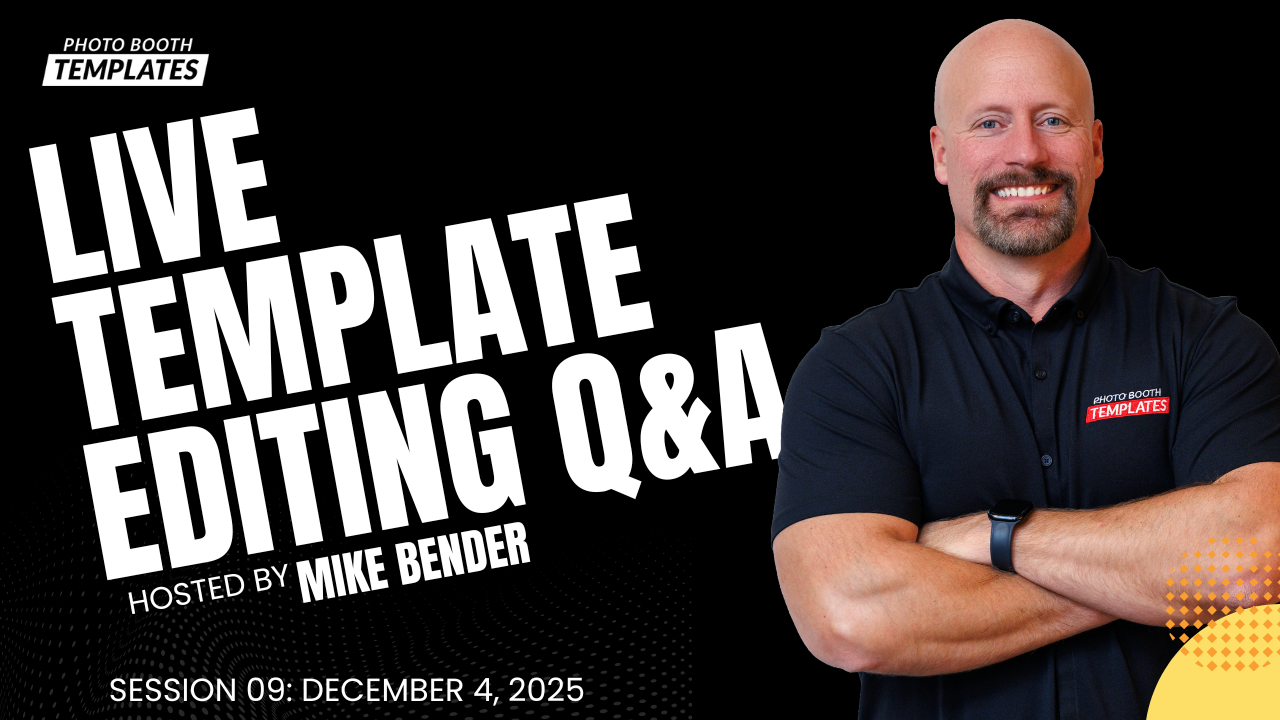
That tension is exactly what this Live Photo Booth Template Editing Q&A is built to relieve. These sessions focus on real fixes for real situations, so when something goes wrong, you already know what to do.
Watch the Full Editing Session
Here’s the full replay:
What You’ll Learn
This session answers the kinds of questions photo booth owners are already searching for, including:
- How do you change template colors in Photoshop without breaking the design?
- Why won’t colors update when you click presets or swatches?
- When should you use Hue and Saturation layers versus color overlays?
- How close do client brand colors really need to be for printed photo booth templates?
- How can you edit templates faster without touching your original master files?
- Where should client selections live so you’re not searching through emails?
- What’s the easiest way to prepare templates for Darkroom Booth and strip layouts?
These questions come up every week for working operators, and each one was addressed live with real templates and real workflows.
Templates Edited in This Session
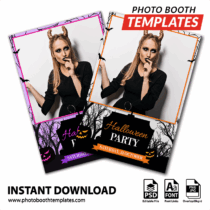
During this session, we worked directly with a complex, layered photo booth template that included textures, color presets, and multiple editable elements.
Rather than starting from scratch, we focused on:
- Fixing missing or broken color presets
- Adjusting dominant background colors based on client requests
- Updating text and design elements while keeping the original layout intact
- Preparing templates for client specific edits using Templates Manager
This approach ensures you always have clean master files while confidently creating customized versions for each event.
How Template Manager Was Used in This Session
In this session, Templates Manager was used as the central hub for managing client selections and template edits instead of relying on emails, downloads, or scattered folders.
We walked through how a client submission from the widget flows directly into Templates Manager, creating a dedicated record for that client. From there, a new client-specific edit was created without touching the original master files. This allowed us to safely experiment, adjust colors, and make changes knowing the core templates were always preserved.
Templates Manager also made it easy to:
- View client selections in one place
- Filter active edits so only the current project was visible
- Open the correct Photoshop files directly from the client record
- Avoid searching email inboxes to figure out which template belonged to which client
During the session, we also discussed how recent updates allow users to clean up old client selections, delete outdated records, and manage everything from within the app. The goal is to reduce friction and make Templates Manager the single place where template work starts and ends.
Rather than being another tool to learn, Templates Manager acted as the guide’s plan in this workflow: organize first, then edit with confidence.
Additional Tips
Several small but powerful tips came out of this session, including:
- Using temporary color reference layers to visually match client colors
- Adjusting lightness when recoloring black or white elements
- Leveraging Auto Select Layer to quickly identify design elements
- Creating single overlay PNG files using layer masks for Darkroom Booth
- Understanding why prints will never exactly match your screen and how to manage client expectations
These details may seem minor, but they add up to faster prep and fewer headaches.
Why These Skills Matter for Your Business
Template mistakes don’t just slow you down. They affect your confidence, your professionalism, and your client experience.
When you know how to:
- Fix issues quickly
- Edit templates efficiently
- Manage client selections in one place
- Recover smoothly from mid event changes
You stop reacting and start leading. That confidence shows up in how you run events and how clients trust you.
These skills help you deliver a better experience without adding more hours to your workload.
Join Us Live On Sundays
Each Live Template Editing Q&A is different because the questions are different. Sometimes we focus on color correction. Other times it’s workflow, exporting, or fixing last minute issues.
Our weekly live sessions are designed to help you grow your Photoshop template customization skills in a relaxed, real-world environment. Each Sunday at 6 PM EST for a Live Template Editing Session, we work through actual templates, answer questions, and share practical shortcuts you can use immediately.
The value comes from real time interaction:
- Ask questions in real time
- Watch how templates are edited from start to finish
- Learn Photoshop techniques specifically for photo booth operators
- Build confidence in customizing templates for any event type
Register now for upcoming Live sessions:
If you want to edit faster, reduce mistakes, and feel more confident walking into every event, I invite you to join an upcoming Live Photo Booth Template Editing Q&A session.
Register now so you don’t miss live demos, workflow upgrades, and upcoming automation tools.
Frequently Asked Questions
How do I change colors in a photo booth template?
Use hue/saturation adjustment layers provided so you can shift colors without losing the original design.
How do I export a PNG for photo booth software?
Ensure layers are clean and properly clipped, hide the background, then export as a transparent PNG.
Can these techniques be used on strips, postcards, and screens?
Yes—everything shown applies to photo strips, postcards, iPad screens, Surface Pro screens, and button sets.
Do I need to be skilled in using Photoshop to follow along?
No. These sessions are aimed for all, beginners and intermediate users, who want to improve their workflow.
Revisit Previous Live Sessions
Missed a session? No problem. All past sessions focus on Photoshop template customization and cover a wide range of themes, layouts, and editing scenarios. Here’s a quick look at what was covered:
Client Template Workflow Wins Big for Faster Edits | Session 12
- Covered real support questions and troubleshooting using Templates Manager and the Embeddable Catalog Widget, including v2.49 updates
- Walked through a full client workflow, from widget selection and Client Edit creation to fixing color presets using Hue/Saturation
- Demonstrated production workflows for Darkroom Booth strips, single-overlay PNG creation, and zip exports with automation ideas
Photoshop Template Customization Wins Big | Session 11
- Built a complete Ornamental New Year theme, including the print template, iPad screen, and buttons set
- Demonstrated Templates Manager workflows such as organizing purchases, creating safe client edits, opening fonts, and launching files into Photoshop
- Covered practical Photoshop edits like strip layout changes, recoloring with Hue/Saturation, converting gold to silver, and exporting PNG and screen files
Seasonal Photo Booth Design Tutorial: Powerful Step Breakdown | Session 9
- Edited a complete Seasonal Snowflakes theme, including print templates, iPad screens, and button sets, with theme-wide color changes
- Demonstrated Templates Manager workflows, single-overlay PNG creation, and advanced recoloring techniques like gold-to-silver conversions
- Covered a guest-request edit focused on masking challenges, pastel color issues on DNP printers, and testing colors before print
Catch up anytime with earlier sessions to expand your knowledge, learn new strategies, and refine your design workflow.
Be Connected
Follow us on social media and subscribe to our YouTube channel for upcoming tutorials, design releases, workflow tools, and community news.